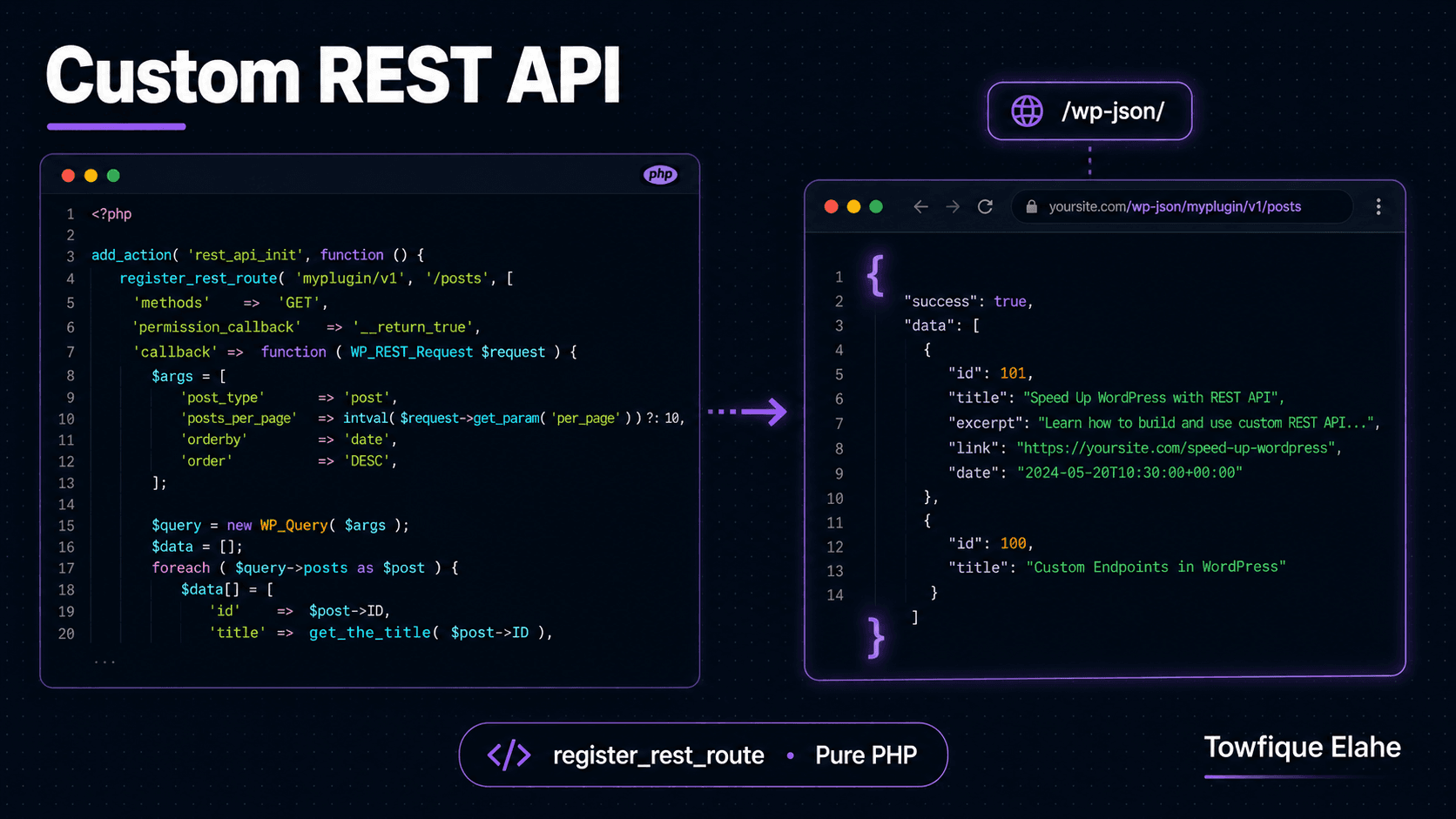
How to Create a Custom REST API Endpoint in WordPress
The WordPress REST API lets you expose your content as clean JSON for headless front-ends, mobile apps, and JavaScript widgets. Learn how to register custom endpoints with register_rest_route — including parameters, validation, permission checks, and caching — without any plugin.
Why Build a Custom REST API Endpoint?
WordPress ships with a built-in REST API that exposes posts, pages, users, and taxonomies as JSON out of the box at /wp-json/wp/v2/. That's enough for many projects. But the moment you need a custom data shape — a trimmed-down payload, a combined response from multiple sources, or a purpose-built endpoint for a JavaScript widget or mobile app — you'll want your own endpoint.
Custom endpoints give you full control over the URL structure, the exact data returned, who can access it, and how the input is validated. This guide builds complete custom endpoints using register_rest_route() — the native WordPress function — with no plugins.
Understanding REST API Structure
Every WordPress REST route has three parts:
- Namespace — groups your endpoints, like
orbit/v1. Always version it (v1,v2) so you can evolve the API without breaking existing consumers. - Route — the path after the namespace, like
/projectsor/projects/(?P<id>\d+). - Endpoint args — the HTTP methods, callback function, permission check, and parameter definitions.
A full endpoint URL looks like: yoursite.com/wp-json/orbit/v1/projects.
Registering Your First Endpoint
All routes are registered inside the rest_api_init hook using register_rest_route(). Here's a basic endpoint that returns a list of projects:
function orbit_register_routes() {

    register_rest_route( 'orbit/v1', '/projects', array(
        'methods'             => 'GET',
        'callback'            => 'orbit_get_projects',
        'permission_callback' => '__return_true', // public endpoint
    ) );

}
add_action( 'rest_api_init', 'orbit_register_routes' );
The permission_callback is required — since WordPress 5.5, omitting it triggers a warning and the endpoint may be treated as public unintentionally. For a genuinely public endpoint, use __return_true explicitly so your intent is clear.
Writing the Callback Function
The callback receives a WP_REST_Request object and must return data (or a WP_REST_Response / WP_Error). WordPress automatically converts returned arrays to JSON:
function orbit_get_projects( $request ) {

    $query = new WP_Query( array(
        'post_type'      => 'project',
        'posts_per_page' => 10,
        'orderby'        => 'date',
        'order'          => 'DESC',
    ) );

    $projects = array();

    if ( $query->have_posts() ) {
        while ( $query->have_posts() ) {
            $query->the_post();
            $projects[] = array(
                'id'        => get_the_ID(),
                'title'     => get_the_title(),
                'slug'      => get_post_field( 'post_name' ),
                'permalink' => get_permalink(),
                'excerpt'   => get_the_excerpt(),
                'thumbnail' => get_the_post_thumbnail_url( get_the_ID(), 'medium_large' ),
                'date'      => get_the_date( 'c' ),
            );
        }
        wp_reset_postdata();
    }

    return rest_ensure_response( $projects );
}
rest_ensure_response() wraps your data in a proper WP_REST_Response object, ensuring correct headers and status codes. Returning the array directly works too, but using this function is the recommended practice.
Visit yoursite.com/wp-json/orbit/v1/projects in a browser and you'll see your clean JSON response.
Accepting Parameters
Real endpoints need input — filtering, pagination, search. Define expected parameters in the args array, complete with validation and sanitization callbacks:
register_rest_route( 'orbit/v1', '/projects', array(
    'methods'             => 'GET',
    'callback'            => 'orbit_get_projects',
    'permission_callback' => '__return_true',
    'args'                => array(
        'per_page' => array(
            'default'           => 10,
            'sanitize_callback' => 'absint',
            'validate_callback' => function( $value ) {
                return is_numeric( $value ) && $value <= 50;
            },
        ),
        'industry' => array(
            'default'           => '',
            'sanitize_callback' => 'sanitize_text_field',
        ),
        'page' => array(
            'default'           => 1,
            'sanitize_callback' => 'absint',
        ),
    ),
) );
WordPress runs the sanitize_callback on every parameter before your code sees it, and rejects the request if validate_callback returns false. This means inside your callback, the values are already clean and safe.
Reading Parameters in the Callback
Access the validated parameters from the request object, then feed them into your query:
function orbit_get_projects( $request ) {

    $per_page = $request->get_param( 'per_page' );
    $industry = $request->get_param( 'industry' );
    $page     = $request->get_param( 'page' );

    $args = array(
        'post_type'      => 'project',
        'posts_per_page' => $per_page,
        'paged'          => $page,
    );

    if ( ! empty( $industry ) ) {
        $args['tax_query'] = array(
            array(
                'taxonomy' => 'industry',
                'field'    => 'slug',
                'terms'    => $industry,
            ),
        );
    }

    $query = new WP_Query( $args );

    $projects = array();

    if ( $query->have_posts() ) {
        while ( $query->have_posts() ) {
            $query->the_post();
            $projects[] = array(
                'id'        => get_the_ID(),
                'title'     => get_the_title(),
                'permalink' => get_permalink(),
                'thumbnail' => get_the_post_thumbnail_url( get_the_ID(), 'medium_large' ),
            );
        }
        wp_reset_postdata();
    }

    // Include pagination metadata in the response
    $response = rest_ensure_response( $projects );
    $response->header( 'X-WP-Total', $query->found_posts );
    $response->header( 'X-WP-TotalPages', $query->max_num_pages );

    return $response;
}
Adding X-WP-Total and X-WP-TotalPages headers mirrors the convention used by the core WordPress API, so front-end consumers can build pagination using the same pattern they already know.
Now you can call: /wp-json/orbit/v1/projects?per_page=6&industry=technology&page=2.
Creating a Single-Item Endpoint
To fetch one project by ID, use a route with a regex pattern that captures the ID as a URL segment:
register_rest_route( 'orbit/v1', '/projects/(?P<id>\d+)', array(
    'methods'             => 'GET',
    'callback'            => 'orbit_get_single_project',
    'permission_callback' => '__return_true',
    'args'                => array(
        'id' => array(
            'validate_callback' => function( $value ) {
                return is_numeric( $value );
            },
        ),
    ),
) );
The (?P<id>\d+) pattern captures a numeric segment and makes it available as the id parameter. The callback then handles the lookup and a proper 404 when the project doesn't exist:
function orbit_get_single_project( $request ) {

    $id   = $request->get_param( 'id' );
    $post = get_post( $id );

    // Return a proper error if not found or wrong type
    if ( ! $post || $post->post_type !== 'project' || $post->post_status !== 'publish' ) {
        return new WP_Error(
            'not_found',
            'Project not found',
            array( 'status' => 404 )
        );
    }

    $data = array(
        'id'        => $post->ID,
        'title'     => get_the_title( $post ),
        'content'   => apply_filters( 'the_content', $post->post_content ),
        'permalink' => get_permalink( $post ),
        'thumbnail' => get_the_post_thumbnail_url( $post, 'large' ),
        'date'      => get_the_date( 'c', $post ),
    );

    return rest_ensure_response( $data );
}
Returning a WP_Error with a status in the data array makes WordPress send the correct HTTP status code automatically — a clean 404 instead of an empty 200 response.
Protecting Endpoints with Permission Checks
Not every endpoint should be public. For endpoints that create, update, or expose private data, use the permission_callback to enforce access control:
register_rest_route( 'orbit/v1', '/projects', array(
    'methods'             => 'POST',
    'callback'            => 'orbit_create_project',
    'permission_callback' => function() {
        return current_user_can( 'edit_posts' );
    },
) );
The callback runs before your main callback. If it returns false, WordPress responds with a 401/403 and your code never executes. Use current_user_can() with the appropriate capability for the action.
Handling POST Requests
For endpoints that accept data, read the body parameters and always validate the user's permission and the input:
function orbit_create_project( $request ) {

    $title   = $request->get_param( 'title' );
    $content = $request->get_param( 'content' );

    if ( empty( $title ) ) {
        return new WP_Error(
            'missing_title',
            'A project title is required',
            array( 'status' => 400 )
        );
    }

    $post_id = wp_insert_post( array(
        'post_type'    => 'project',
        'post_title'   => sanitize_text_field( $title ),
        'post_content' => wp_kses_post( $content ),
        'post_status'  => 'publish',
    ), true );

    if ( is_wp_error( $post_id ) ) {
        return new WP_Error(
            'create_failed',
            'Could not create the project',
            array( 'status' => 500 )
        );
    }

    return rest_ensure_response( array(
        'id'      => $post_id,
        'message' => 'Project created successfully',
    ) );
}
Authentication for External Consumers
When a request comes from inside WordPress (a logged-in user with a valid cookie and nonce), current_user_can() works directly. For external apps and headless front-ends, you'll need an authentication method:
- Application Passwords — built into WordPress core since 5.6. Generate a password per application under the user profile, then authenticate with HTTP Basic Auth. Ideal for server-to-server and headless setups.
- Nonce + Cookie — for JavaScript running on the same WordPress site. Pass a nonce created with
wp_create_nonce( 'wp_rest' )in theX-WP-Nonceheader. - JWT or OAuth — for token-based auth in larger applications, typically via a dedicated plugin or custom implementation.
For most headless WordPress projects, Application Passwords are the simplest secure option and require no extra code.
Caching REST Responses
REST endpoints that run heavy queries benefit from the same caching approach covered in the previous post on the Transients API. Wrap your query logic in a transient check inside the callback:
function orbit_get_projects( $request ) {

    $industry  = $request->get_param( 'industry' );
    $page      = $request->get_param( 'page' );
    $cache_key = 'orbit_rest_projects_' . md5( $industry . '_' . $page );

    $cached = get_transient( $cache_key );
    if ( false !== $cached ) {
        return rest_ensure_response( $cached );
    }

    // ... run WP_Query, build $projects array ...

    set_transient( $cache_key, $projects, 6 * HOUR_IN_SECONDS );

    return rest_ensure_response( $projects );
}
Pair this with the same save_post invalidation hook from the caching post, and your API serves cached JSON instantly while staying fresh whenever content changes.
Best Practices
- Always version your namespace (
orbit/v1) so you can ship breaking changes asv2without disrupting existing consumers. - Always define a
permission_callback— even__return_truefor public endpoints — to make access intent explicit. - Validate and sanitize every parameter using the
argsdefinitions, not inside your callback. - Return
WP_Errorwith a status code for failures, so clients receive correct HTTP codes. - Return only the data you need — don't dump entire post objects. Lean payloads are faster and don't leak internal fields.
- Cap pagination parameters (e.g.,
per_page <= 50) to prevent abusive requests from pulling thousands of rows.
Final Thoughts
Custom REST API endpoints turn WordPress into a flexible content backend for anything — React and Next.js front-ends, mobile apps, JavaScript widgets, or third-party integrations. With register_rest_route(), you control the exact URL structure, data shape, validation, and access rules, all in native PHP with no plugin overhead.
Combined with the earlier posts in this series — custom post types, taxonomies, metaboxes, AJAX filtering, and transient caching — you now have a complete toolkit for building structured, performant, headless-ready WordPress applications.
In the next post, we'll consume one of these endpoints from the front end — building a Next.js page that fetches and renders WordPress project data, bridging the headless gap between WordPress and a modern React framework.