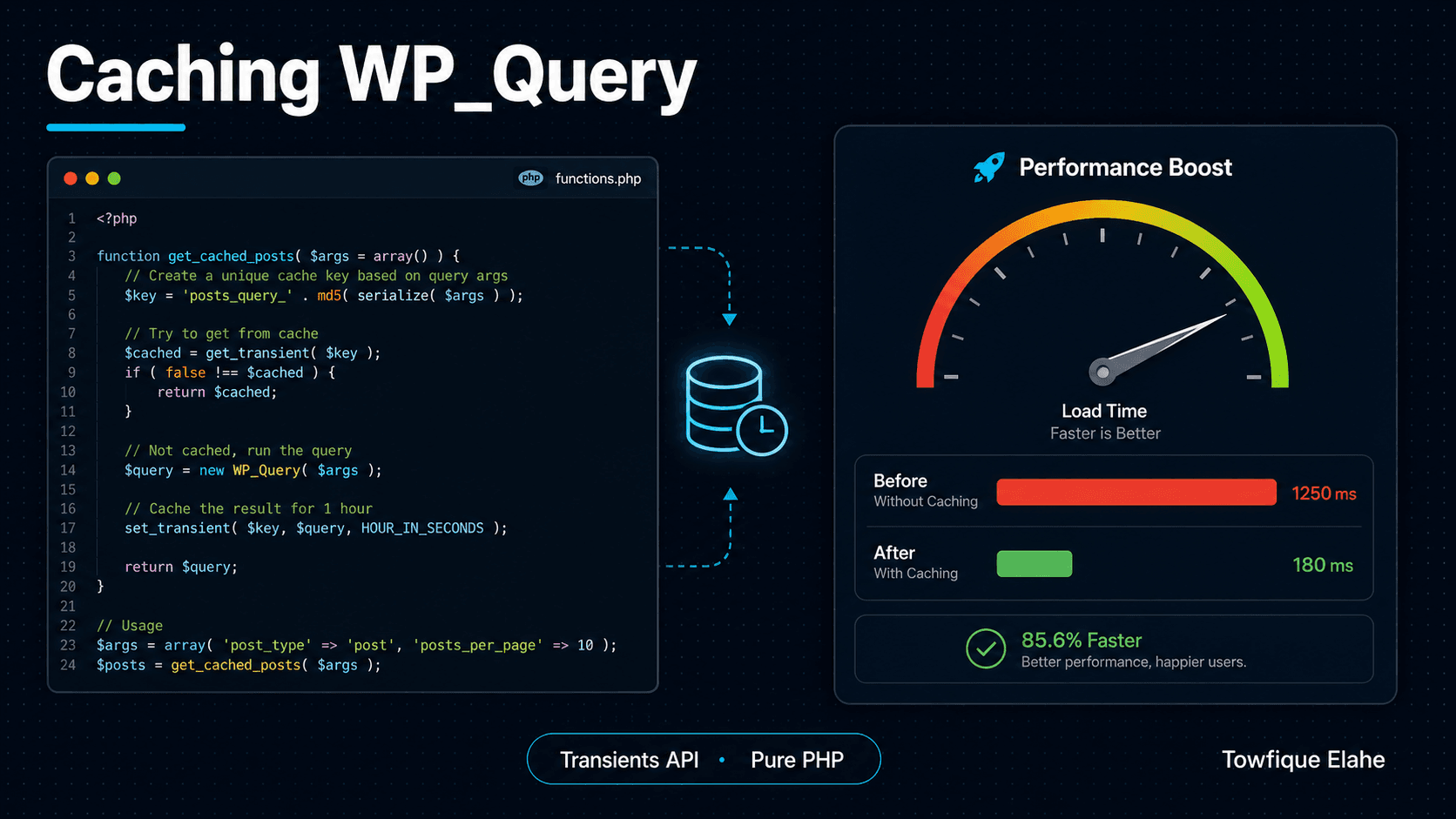
How to Cache WP_Query Results with the WordPress Transients API
Heavy queries on archive pages, dashboards, and filtered listings can quietly slow your WordPress site to a crawl. The Transients API lets you cache expensive WP_Query results and serve them in milliseconds. Here's how to use it properly — including cache invalidation, the trap most developers fall into.
What Is the Transients API?
The WordPress Transients API is a simple, built-in way to store cached data temporarily with an automatic expiration time. Think of it as a key-value cache baked right into WordPress — you save a piece of data under a named key, set how long it should live, and WordPress serves it from cache until it expires.
It's the ideal tool for caching the results of expensive operations: complex WP_Query calls, remote API requests, heavy taxonomy lookups, or any computation that runs on every page load but doesn't need real-time freshness.
This guide focuses on caching WP_Query results — the most common performance bottleneck on content-heavy WordPress sites — and covers the critical part most tutorials skip: cache invalidation.
Why Cache Queries at All?
Every WP_Query runs one or more SQL queries against your database. For a simple recent-posts list, that's cheap. But certain queries are expensive:
- Queries with multiple
tax_queryormeta_queryclauses - Queries ordered by meta values across thousands of posts
- Related-posts logic that compares taxonomies
- Homepage or archive queries that run on high-traffic pages
When these run on every single page load — for every visitor — the database does the same heavy work repeatedly. Caching the result means the work happens once, and every subsequent visitor gets the stored output instantly until the cache expires.
The Three Core Functions
The Transients API has just three functions you need to know:
set_transient( $key, $value, $expiration )— store data under a key for a number of secondsget_transient( $key )— retrieve the data, orfalseif it's expired or doesn't existdelete_transient( $key )— manually remove a cached value
The $expiration is in seconds. WordPress provides handy time constants: MINUTE_IN_SECONDS, HOUR_IN_SECONDS, DAY_IN_SECONDS, and WEEK_IN_SECONDS.
The Basic Caching Pattern
The standard pattern is: try to get the cached value first. If it doesn't exist, run the expensive query, store the result, then use it. Here's the canonical structure:
function orbit_get_featured_projects() {

    $cache_key = 'orbit_featured_projects';

    // 1. Try to get cached data
    $cached = get_transient( $cache_key );

    if ( false !== $cached ) {
        return $cached; // cache hit — return immediately
    }

    // 2. Cache miss — run the expensive query
    $query = new WP_Query( array(
        'post_type'      => 'project',
        'posts_per_page' => 6,
        'meta_key'       => 'featured',
        'meta_value'     => '1',
        'orderby'        => 'menu_order',
        'order'          => 'ASC',
    ) );

    // 3. Build a lightweight data array (don't cache the whole WP_Query object)
    $projects = array();

    if ( $query->have_posts() ) {
        while ( $query->have_posts() ) {
            $query->the_post();
            $projects[] = array(
                'id'        => get_the_ID(),
                'title'     => get_the_title(),
                'permalink' => get_permalink(),
                'thumbnail' => get_the_post_thumbnail_url( get_the_ID(), 'medium_large' ),
                'excerpt'   => get_the_excerpt(),
            );
        }
        wp_reset_postdata();
    }

    // 4. Store for 12 hours
    set_transient( $cache_key, $projects, 12 * HOUR_IN_SECONDS );

    return $projects;
}
Notice step 3 — we extract only the data we need into a plain array rather than caching the entire WP_Query object. This is important: WP_Query objects are large and contain references that don't serialize cleanly. Cache lightweight, predictable data structures instead.
Using the Cached Data in a Template
Because the function returns a clean array, your template loop becomes simple and database-free on cache hits:
$projects = orbit_get_featured_projects();

if ( ! empty( $projects ) ) :
    echo '<div class="project-grid">';

    foreach ( $projects as $project ) :
    ?>
        <article class="project-card">
            <a href="<?php echo esc_url( $project['permalink'] ); ?>">
                <?php if ( $project['thumbnail'] ) : ?>
                    <img src="<?php echo esc_url( $project['thumbnail'] ); ?>" alt="<?php echo esc_attr( $project['title'] ); ?>" />
                <?php endif; ?>
                <h3><?php echo esc_html( $project['title'] ); ?></h3>
                <p><?php echo esc_html( $project['excerpt'] ); ?></p>
            </a>
        </article>
    <?php
    endforeach;

    echo '</div>';
endif;
The Critical Part: Cache Invalidation
Here's the trap most developers fall into. They set a transient with a 12-hour expiration, then a client publishes a new project — and it doesn't appear for up to 12 hours. The cache is stale.
The solution is event-based invalidation: delete the transient whenever the underlying data changes. For posts, hook into save_post to clear the relevant cache whenever a project is created, updated, or deleted:
function orbit_clear_project_cache( $post_id ) {

    // Only clear for the 'project' post type
    if ( get_post_type( $post_id ) !== 'project' ) {
        return;
    }

    // Skip autosaves and revisions
    if ( wp_is_post_autosave( $post_id ) || wp_is_post_revision( $post_id ) ) {
        return;
    }

    delete_transient( 'orbit_featured_projects' );
}
add_action( 'save_post', 'orbit_clear_project_cache' );
add_action( 'deleted_post', 'orbit_clear_project_cache' );
Now the flow is correct: the cache serves instant results to every visitor, but the moment a project is added or edited, the transient is deleted and rebuilt fresh on the next request. You get the performance of long cache lifetimes and immediate content freshness.
Caching Queries with Dynamic Arguments
When the query varies — like filtered archives or paginated results — a single fixed cache key won't work. You need a unique key per unique set of arguments. Generate one by hashing the query args:
function orbit_get_filtered_projects( $industry = 'all', $paged = 1 ) {

    // Build a unique key from the arguments
    $cache_key = 'orbit_projects_' . md5( $industry . '_' . $paged );

    $cached = get_transient( $cache_key );

    if ( false !== $cached ) {
        return $cached;
    }

    $args = array(
        'post_type'      => 'project',
        'posts_per_page' => 9,
        'paged'          => $paged,
    );

    if ( $industry !== 'all' ) {
        $args['tax_query'] = array(
            array(
                'taxonomy' => 'industry',
                'field'    => 'slug',
                'terms'    => $industry,
            ),
        );
    }

    $query = new WP_Query( $args );

    $data = array(
        'posts'      => array(),
        'max_pages'  => $query->max_num_pages,
    );

    if ( $query->have_posts() ) {
        while ( $query->have_posts() ) {
            $query->the_post();
            $data['posts'][] = array(
                'title'     => get_the_title(),
                'permalink' => get_permalink(),
                'thumbnail' => get_the_post_thumbnail_url( get_the_ID(), 'medium_large' ),
            );
        }
        wp_reset_postdata();
    }

    set_transient( $cache_key, $data, 6 * HOUR_IN_SECONDS );

    return $data;
}
Each unique combination of industry and page number gets its own cache entry. The md5() hash keeps the key length safe and predictable regardless of how many arguments you include.
Invalidating Dynamic Cache Keys
Dynamic keys create a new problem: you don't know every key that exists, so you can't simply delete_transient() each one by name. The cleanest solution is a cache version stored as an option, incorporated into every key:
function orbit_cache_version() {
    return get_option( 'orbit_cache_version', '1' );
}

// Include the version in the cache key
$cache_key = 'orbit_projects_' . orbit_cache_version() . '_' . md5( $industry . '_' . $paged );

// To invalidate ALL project caches at once, bump the version
function orbit_bust_project_cache( $post_id ) {
    if ( get_post_type( $post_id ) !== 'project' ) {
        return;
    }
    $version = (int) get_option( 'orbit_cache_version', 1 );
    update_option( 'orbit_cache_version', $version + 1 );
}
add_action( 'save_post', 'orbit_bust_project_cache' );
When the version bumps, every old cache key becomes unreachable — the next request generates fresh keys with the new version number. The orphaned transients expire on their own. This pattern invalidates an entire group of caches with a single option update.
How Transients Are Stored
By default, transients are stored in the wp_options table — two rows per transient (the value and its timeout). This is fine for moderate use, but on sites with an object cache (Redis or Memcached) installed, transients are automatically stored in memory instead, making them dramatically faster.
This is the key advantage of transients over a manual options-based cache: if a persistent object cache is available, transients use it automatically — no code changes needed. Your caching layer scales with the hosting environment for free.
Transients vs. wp_cache (Object Cache)
A quick distinction worth understanding:
- Transients (
set_transient) — persist across requests. Stored in the database, or in the object cache if one exists. Survive until expiration. Use for data that should live for minutes, hours, or days. - Object cache (
wp_cache_set) — by default lasts only for the current request unless a persistent backend like Redis is configured. Use for data reused multiple times within a single page load.
For caching query results that should survive between page loads and visitors, transients are the correct choice.
Best Practices
- Never cache the raw
WP_Queryobject — extract a clean array of just the data your template needs. - Always pair caching with invalidation — a cache without a clear strategy for when to clear it will serve stale content. Hook into
save_post,deleted_post, and term changes. - Prefix all keys with a project namespace (e.g.,
orbit_) to avoid collisions with plugins. - Keep keys under 172 characters — that's the column limit for transient names. Hashing with
md5()keeps you safe. - Choose expiration based on volatility — fast-changing data gets short lifetimes; stable data like a footer widget can cache for days.
- Don't cache user-specific data in a shared transient — that data would leak between visitors. Use per-user keys or skip caching entirely for personalized content.
Final Thoughts
The Transients API is one of the highest-impact, lowest-effort performance tools in WordPress. A single well-placed cache on a heavy archive query can cut page generation time significantly — and because transients automatically use a persistent object cache when one is available, the same code gets faster as the hosting environment scales up.
The discipline that separates a reliable cache from a buggy one is invalidation. Cache aggressively, but always know exactly when and how each cached value gets cleared. Pair every set_transient() with a matching invalidation hook, and you get speed without stale content.
In the next post, we'll build on this foundation and look at writing a custom REST API endpoint in WordPress — exposing your cached project data as clean JSON for use in headless front-ends and JavaScript apps.