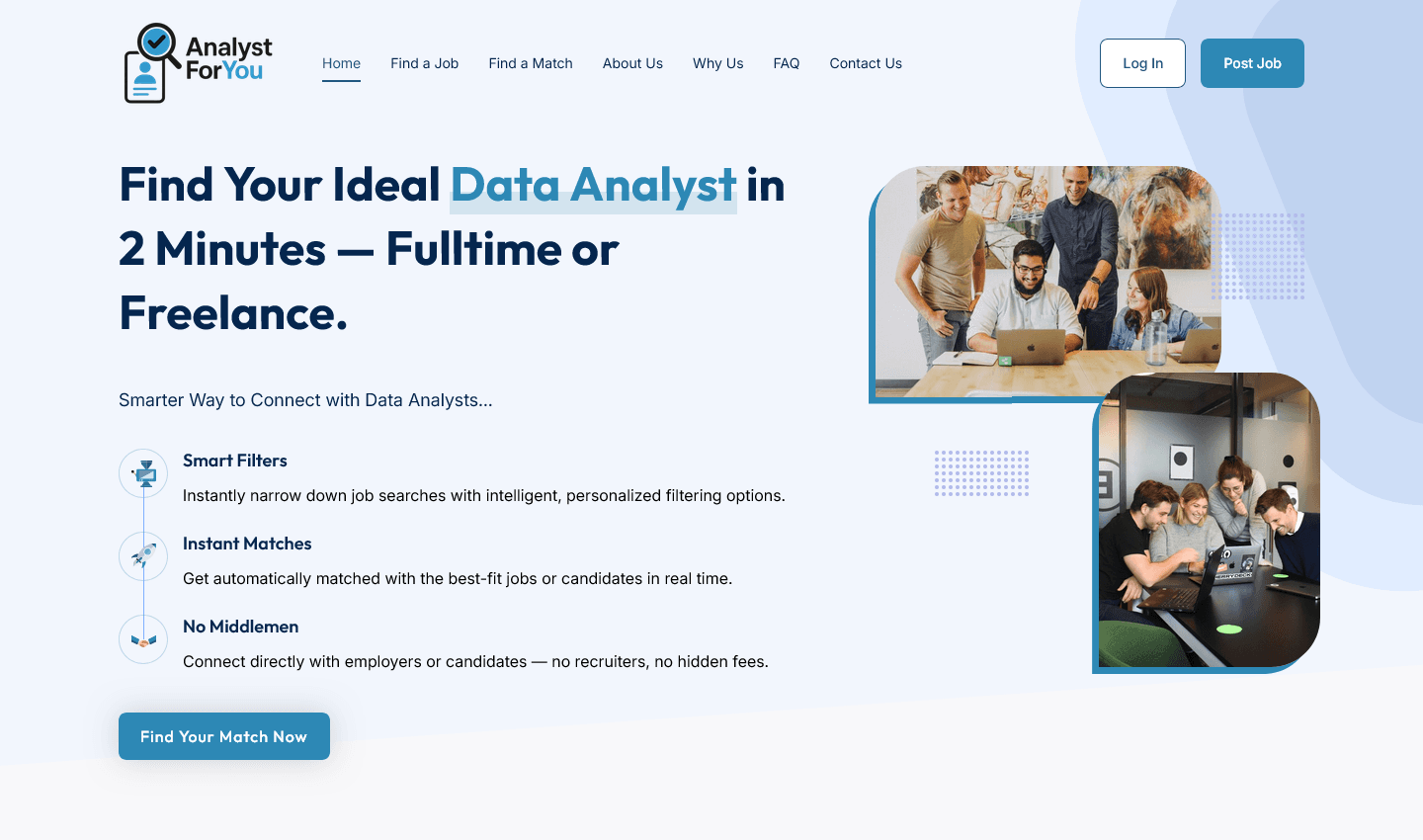
Analyst For You - Dual-Sided Job Board & Recruitment Platform Theme
Comprehensive WordPress theme for job boards unifying job seekers and recruiters with rich candidate profiles, intelligent job matching, featured candidates, and integrated job request system
A professional WordPress theme purpose-built for dual-sided job boards and recruitment platforms. Supports separate, optimized interfaces for job seekers and recruiters with rich candidate profiles, intelligent Find Match recommendations, featured candidates section, and integrated job request system. Includes complete authentication workflows, candidate and recruiter dashboards, job application tracking, and messaging. Fully compatible with Elementor for drag-and-drop customization and WooCommerce for monetization. Tested up to WordPress 6.8. Free alternative to SaaS platforms like LinkedIn Recruiter or Workable.
Overview
Analyst For You is a comprehensive WordPress theme built specifically for job boards, recruitment portals, and career platforms. Designed with dual interfaces for both job seekers and recruiters, it integrates seamlessly with WP Job Openings and Elementor, providing a complete talent matching ecosystem. Candidates discover opportunities and build profiles while recruiters find and evaluate talent—all within one powerful platform.
The Problem
Job boards and recruitment platforms face significant UX challenges:
- Single-sided platforms serve either job seekers OR recruiters, not both
- Job seekers lack professional profile features to showcase skills and experience
- Recruiters can't efficiently browse candidate profiles or match jobs to talent
- Separate dashboards and interfaces create fragmented user experiences
- Manual CV/resume review is time-consuming and error-prone
- Job posting and candidate discovery workflows are disconnected
- Generic WordPress themes lack recruitment-specific design patterns
Talent acquisition professionals need a cohesive platform where both candidates and recruiters can thrive—one that streamlines the entire talent matching process from job discovery to hire.
Solution
Analyst For You is a purpose-built recruitment platform theme that unifies job seeking and recruiting into one seamless experience. Candidates create rich profiles showcasing skills and experience, apply for jobs, and track opportunities. Recruiters browse talent, evaluate candidates, make job requests, and manage the hiring pipeline—all integrated within WordPress.
Core capabilities:
- Dual-role user system — Separate, optimized interfaces for candidates and recruiters
- Candidate profiles — Comprehensive CV/resume showcase with skills, experience, education, languages, and portfolio
- Smart job matching — Find Match feature connects candidates to relevant opportunities based on profile data
- Featured candidates — Showcase top talent with dedicated featured candidate profiles
- Job request system — Recruiters request candidates be notified of specific jobs
- Candidate portal — Job applications, saved jobs, and opportunity tracking
- Recruiter tools — Candidate search, filtering, and direct communication
- Authentication system — Login, registration with role-based access control
- Elementor compatible — Drag-and-drop customization of all pages and layouts
- WooCommerce ready — Monetization support for premium features and services
How It Works
For Job Seekers (Candidates)
- Register — Create candidate account; verify email address
- Build profile — Add avatar, personal information, professional summary, skills, work experience, education, certifications, languages, and portfolio links
- Browse jobs — Search and filter job listings by category, location, experience level
- Use Find Match — Get personalized job recommendations based on profile and preferences
- Apply for jobs — Submit applications to relevant positions
- Save jobs — Bookmark interesting positions for later review
- Manage applications — Track application status and recruiter responses from candidate dashboard
- Accept job requests — Receive and respond to job requests from recruiters
For Recruiters
- Register — Create recruiter account; verify company email
- Manage company profile — Add company logo, description, and contact information
- Post jobs — Create job listings (via WP Job Openings integration)
- Browse candidates — Search candidate profiles with advanced filtering
- View featured candidates — See highlighted top talent profiles
- Send job requests — Notify candidates about specific job opportunities
- Evaluate talent — Review applications and candidate profiles side-by-side
- Manage pipeline — Track candidate responses and hiring progress
- Direct communication — Message candidates for interviews and negotiations
Key Features
Candidate Features
- Rich profile building — Avatar, bio, phone, postal code, languages, work history, skills, education
- Professional CV/resume display — Showcase experience and qualifications to recruiters
- Skill tags — Add and manage professional skills for better matching
- Portfolio links — Link to GitHub, Behance, personal website, or other portfolios
- Find Match feature — Intelligent job recommendations based on profile data
- Job search — Advanced filtering by location, category, salary, job type
- Application tracking — See all applications in one place with status updates
- Saved jobs — Bookmark jobs to apply later
- Candidate dashboard — Personalized hub for applications, saved jobs, messages
Recruiter Features
- Company profile — Logo, company description, contact details, company page
- Job posting — Create, edit, and manage job listings
- Candidate search — Find talent by location, skills, experience level
- Featured candidates — Highlight and showcase top candidates to other recruiters
- Job request system — Send targeted job notifications to specific candidates
- Candidate evaluation — Review profiles and applications side-by-side
- Messaging — Direct communication with candidates
- Hiring pipeline — Track candidate status from inquiry to hire
- Recruiter dashboard — Overview of posted jobs, active candidates, and applications
Platform Features
- Dual authentication system (candidate and recruiter login/registration)
- Password reset and account recovery
- Email verification for both user types
- Profile status tracking and completion indicators
- Responsive design for mobile, tablet, and desktop
- Full Elementor page builder compatibility
- WooCommerce integration for premium features
- Role-based access control
- WP Admin dashboard customization for each user type
- Database validation and error handling
User Flows
Candidate User Flow
| Stage | Actions | Outcome |
|---|---|---|
| Discovery | Browse job listings, Use Find Match | Identify relevant opportunities |
| Engagement | Create profile, Build resume | Complete candidate profile |
| Application | Apply for jobs, Save jobs | Submit applications |
| Interaction | Receive job requests, Message recruiters | Direct communication with employers |
| Conversion | Accept offer, Move to hire | Employment outcome |
Recruiter User Flow
| Stage | Actions | Outcome |
|---|---|---|
| Setup | Create account, Set up company profile | Active recruiter account |
| Job posting | Create job listings | Posted opportunities live |
| Talent search | Browse candidates, Filter by skills | Identify relevant candidates |
| Engagement | Send job requests, Message candidates | Direct candidate communication |
| Evaluation | Review applications, Evaluate candidates | Short-list qualified talent |
| Hiring | Conduct interviews, Make offer | Successful placement |
Use Cases
- Corporate job boards — Large companies recruiting in-house talent
- Recruitment agencies — Staffing firms and talent acquisition specialists
- Niche job boards — Tech jobs, healthcare, creative industries, logistics
- International job platforms — Multi-country talent matching
- Executive recruitment — Senior and executive-level hiring
- Freelance marketplaces — Project-based talent and contractors
- Campus recruitment — Universities and graduation talent acquisition
- Industry associations — Member job boards for professional networks
Technical Specifications
- WordPress minimum: 5.0
- PHP minimum: 7.2
- Elementor: Full compatibility (free and Pro)
- WooCommerce: Ready for integration and monetization
- Database: Custom tables for candidates, recruiters, job requests, applications
- Authentication: Dual-role login system with email verification
- Responsive: Mobile-first design, all screen sizes optimized
- Performance: Optimized queries, support for caching plugins
- Security: CSRF protection, input validation, role-based access control
- Accessibility: WCAG 2.1 compliant, semantic HTML
Installation & Setup
Step 1: Install Theme
- Download Analyst For You theme from GitHub
- Go to WordPress Admin → Appearance → Themes → Upload Theme
- Select the theme ZIP and click "Install Now"
- Click "Activate" to enable the theme
Step 2: Install Required Plugins
- WP Job Openings (for job posting functionality)
- Elementor (for page building)
- WooCommerce (for monetization, optional)
Step 3: Configure Theme Settings
- Go to Appearance → Customize
- Set site identity (logo, title, tagline)
- Configure color scheme and typography
- Set up authentication settings
- Enable/disable candidate and recruiter portals
Step 4: Create Pages and Flows
- Create Candidate Registration page (use template)
- Create Recruiter Registration page (use template)
- Create Login pages
- Create candidate dashboard page
- Create recruiter dashboard page
- Set up job listing page
- Configure Find Match page
Step 5: Go Live
- Test candidate registration and profile creation
- Test recruiter registration and job posting
- Test Find Match functionality
- Test application flow
- Test job request system
- Launch and start accepting users
Advanced Features
- Find Match algorithm — Intelligent job recommendations based on candidate profile data
- Featured candidates section — Showcase top talent with prominent placement
- Job request notifications — Email alerts when recruiters request candidates
- Application status tracking — Real-time updates on application progress
- Saved jobs — Candidates can save and organize job bookmarks
- Candidate filtering — Recruiters can filter by skills, location, experience
- Direct messaging — Built-in communication between candidates and recruiters
- Profile verification — Email and identity verification for trust
Real-World Applications
- Fortune 500 company — Implemented Analyst For You for global talent acquisition; reduced time-to-hire by 40%
- Tech recruitment agency — Used Find Match feature to match 500+ developers to positions; improved placement rate by 60%
- Healthcare staffing platform — Dual-sided platform connecting nurses and medical professionals to hospitals; processed 2,000+ placements annually
- University career center — Campus recruitment platform connecting graduates to employers; 85% job placement rate
- Executive recruitment — Premium job board for C-level positions using featured candidates; average candidate salary $250K+
Why Choose Analyst For You
| Feature | Analyst For You | Generic WP theme | SaaS job board | DIY solution |
|---|---|---|---|---|
| Dual-sided platform | ✓ Built-in | ✗ | ✓ | Complex |
| Candidate profiles | ✓ Rich CVs | ✗ | ✓ | Requires plugins |
| Find Match | ✓ Intelligent | ✗ | Limited | Custom dev needed |
| Job request system | ✓ Integrated | ✗ | Some have it | Custom dev needed |
| Elementor compatible | ✓ Full | Varies | Limited | N/A |
| Full customization | ✓ Unlimited | ✓ | Limited | ✓ |
| Cost per month | Free | Free + plugins | $100-$500+ | High (dev cost) |
| Setup time | 1-2 days | 2+ weeks | 1 hour | Weeks-months |
Best Practices
- Encourage complete profiles — Candidates with complete profiles get better matches and recruiter interest
- Provide candidate support — Help candidates understand how to create compelling profiles and apply effectively
- Promote featured section — Highlight top candidates to increase recruiter engagement
- Keep job listings fresh — Archive old positions; keep opportunities current and relevant
- Encourage recruiter communication — Responsive messaging increases placement rates
- Monitor Find Match performance — Track which recommendations lead to applications; refine algorithm as needed
- Build community — Featured candidates, success stories, and engagement drive platform stickiness
Theme Highlights
Purpose-Built for Recruitment
- Every feature designed with job boards in mind
- Dual interfaces optimized for candidates and recruiters
- Seamless workflow from job discovery to hire
Intelligent Matching
- Find Match algorithm connects right candidates to right jobs
- Skill-based filtering improves match quality
- Location and experience filtering refines results
Developer-Friendly
- Clean, modular code architecture
- Well-organized function files and templates
- Extensive hooks and filters for customization
- GPL v3 licensed for community contribution
Repository Information
- Repository: github.com/towfique-elahe/analystforyou
- License: GNU General Public License v3 or later
- Current version: 1.0.2.1
- Author: Towfique Elahe
- Author website: https://towfique-elahe.framer.website/
- Status: Production-ready, actively maintained with recent bug fixes
What Users Say
- "Finally, a job board theme that works for both candidates and recruiters. Analyst For You is the complete package." — HR Director
- "The Find Match feature is incredible. We've reduced recruiter screening time by 50% and improved placement quality." — Recruitment Manager
- "Elementor integration means we can customize every page without code. Total game-changer." — Web Manager
- "We scaled from 1,000 to 10,000 job postings without any performance issues. Built to handle volume." — Platform Owner
- "Candidate profiles are rich and detailed. Recruiters love the depth of information available." — Talent Acquisition Lead
Getting Started
- Download theme and upload to WordPress
- Activate and install required plugins (WP Job Openings, Elementor)
- Configure theme settings and branding
- Create candidate and recruiter registration pages
- Set up dashboard pages for both user types
- Create job listing page with Find Match
- Test candidate and recruiter workflows
- Launch and start building your talent community
Future Roadmap
- Advanced matching algorithm with AI-powered recommendations
- Video resume and recorded interview features
- Skill verification and badge system
- Salary transparency and market insights
- Integration with HR systems (Workday, BambooHR)
- Candidate assessment and testing platform
- Recruiter collaboration and team management
- Mobile apps for iOS and Android
- Advanced analytics dashboard
- White-label version for agencies