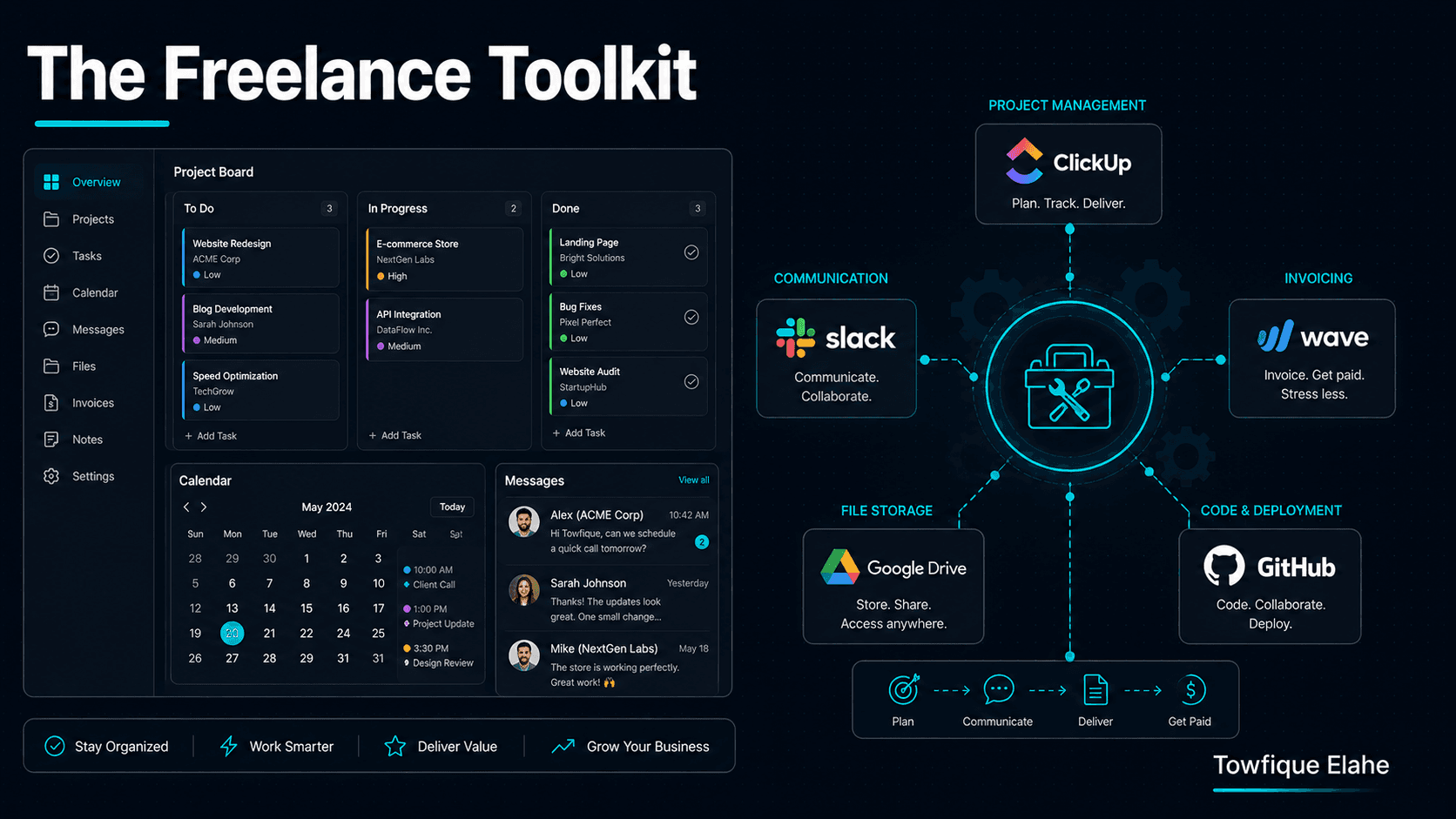
The Freelance Web Developer Toolkit: Systems to Run Client Projects Smoothly
Talent gets you the client — systems keep you sane. As soon as you're juggling more than one project, ad-hoc email threads and scattered files start costing you time, money, and credibility. Here's the practical toolkit and workflow for running freelance web projects smoothly, from first contact to final handoff.
Why Systems Matter More Than Tools
When you have one client, you can get away with a messy inbox and files scattered across your desktop. The moment you have three, that chaos starts costing you real money — missed deadlines, lost files, forgotten requests, and the mental drain of holding everything in your head.
The developers who scale from occasional freelancing to a steady stream of clients aren't necessarily better coders. They have systems: repeatable ways of handling communication, tasks, files, and payments so nothing slips through the cracks. This guide covers both the tools and the workflow that hold client projects together.
A note before the list: the specific tool matters far less than having a consistent process. Pick one option per category, learn it well, and use it for every project. Consistency beats the perfect app.
1. Project Management: Your Single Source of Truth
Every project needs one place where all tasks, deadlines, and progress live — not spread across email, chat, and memory. This is the backbone of your entire operation.
Good options depending on how you think:
- Trello — visual kanban boards, dead simple, great for solo freelancers who like dragging cards through stages (To Do → In Progress → Review → Done).
- Notion — flexible all-in-one workspace; combine tasks, notes, client info, and documentation in one place.
- Asana or ClickUp — more structured task management for when you're juggling multiple projects with dependencies.
The key habit: the moment a task or request appears — from any channel — it goes into this system. If it's not in the board, it doesn't exist. This single discipline prevents the most common freelance failure: forgetting something a client asked for.
2. Communication: Set the Channel, Set the Boundaries
Unmanaged communication is a productivity killer. Clients messaging you across email, WhatsApp, text, and social media DMs means requests get lost and you're never truly off the clock.
At the start of every project, establish one primary channel for project communication — usually email for a paper trail, or a dedicated tool like Slack for larger engagements. Then set expectations clearly:
- State your working hours and typical response time ("I reply to messages within one business day").
- Route all project requests through the agreed channel, so nothing gets scattered.
- Summarize verbal calls in a follow-up message, so decisions are documented in writing.
Setting these boundaries early isn't rude — it's professional. Clients respect a freelancer who runs an organized operation far more than one who's reachable at midnight but constantly loses track of things.
3. File & Asset Management: A Consistent Structure
Client assets — logos, images, copy, brand files, credentials — arrive in a chaotic mix of email attachments, links, and messages. Without a system, you waste time hunting for that one logo file the client sent three weeks ago.
Use cloud storage (Google Drive, Dropbox) with a consistent folder structure you replicate for every client:
Client Name/
├── 01-Contract-&-Proposal/
├── 02-Brand-Assets/       (logos, fonts, colors)
├── 03-Content/            (copy, images provided by client)
├── 04-Design/             (mockups, drafts)
├── 05-Development/        (exports, resources)
└── 06-Final-Delivery/     (handoff files, credentials)
The same structure every time means you never have to think about where something goes or lives. When you open any client folder, you instantly know where to look. This small habit saves hours across a year of projects.
4. Credential Management: Never in Plain Text
Client projects involve sensitive access — hosting logins, domain registrars, WordPress admin, database credentials, API keys. Storing these in email threads or plain-text notes is a security risk and looks deeply unprofessional if a client ever sees it.
Use a password manager (Bitwarden, 1Password) to store client credentials securely. Better still, most support sharing access without exposing the actual password, and let you organize credentials per client. When a project ends, you can cleanly revoke or hand off access.
Treating credentials seriously signals to clients that you take security — and their business — seriously. It's a small thing that quietly builds trust.
5. Contracts & Proposals: Templated and Repeatable
Writing a proposal from scratch for every lead is slow and inconsistent. Build reusable templates you can adapt quickly:
- A proposal template with your standard scope structure, deliverables format, and out-of-scope section.
- A contract template covering payment terms, revision policy, and ownership.
- A change request template for handling out-of-scope additions cleanly.
Tools like PandaDoc, or even a well-structured Google Doc, let you send professional proposals in minutes rather than hours. The faster you can turn an interested lead into a signed agreement, the more leads convert — momentum matters in sales.
6. Invoicing & Payments: Get Paid Without the Awkwardness
Chasing payments is one of the least pleasant parts of freelancing — and a good system makes it nearly automatic. Use dedicated invoicing tools rather than manually writing invoices:
- Wave — free, clean invoicing for freelancers.
- Stripe or PayPal — for easy online payments and international clients.
- FreshBooks or Zoho Invoice — for recurring invoices and expense tracking as you grow.
Set up systems that reduce friction: take a deposit before starting, tie payments to milestones, and enable automatic payment reminders so you never have to send an awkward "just following up on that invoice" email manually. Professional invoicing also makes tax time dramatically easier.
7. Development Environment: Standardize Your Stack
Every hour spent setting up a new project from scratch is an hour you can't bill. Standardize your development workflow so starting a project is fast and repeatable:
- Local development — a consistent local setup (LocalWP for WordPress, or Docker for custom stacks) so every project starts the same way.
- Version control — Git for every project, no exceptions, even solo work. It's your safety net and your history.
- Starter templates — a boilerplate theme, plugin, or project scaffold with your common setup already in place.
- Staging environment — a place to show clients work-in-progress without touching the live site.
The goal is to eliminate repetitive setup work. Every reusable template and standardized step compounds — saving time on every single future project.
8. Time Tracking: Know What Work Actually Costs You
Even on fixed-price projects, tracking your time is invaluable. It tells you whether your pricing is actually profitable, which types of work drain your hours, and where scope creep is eating your margin.
Tools like Toggl or Clockify make this frictionless — start a timer when you begin, stop when you finish. After a few projects, you'll have real data on how long things take, which makes your future quotes far more accurate. Most freelancers dramatically underestimate how long work takes; time tracking replaces guesswork with facts.
9. A Client Onboarding Checklist
The start of a project is where things get forgotten. A simple, repeatable onboarding checklist ensures every project starts on solid footing:
- Signed proposal/contract received
- Deposit paid
- Brand assets and content collected
- Access credentials received and stored securely
- Communication channel and expectations set
- Project board created with milestones
- Kickoff message sent confirming scope and timeline
Running the same checklist every time means no project ever starts with a missing piece that causes delays later. It also makes you look impressively organized to a new client from day one.
10. A Handoff & Offboarding Process
How you end a project shapes whether a client returns and refers you. A clean handoff process turns a finished project into a lasting relationship:
- Deliver all final files and access in an organized package.
- Provide a short guide or walkthrough on how to use what you built.
- Send the final invoice promptly.
- Ask for a testimonial and a referral while the goodwill is fresh.
- Offer an ongoing maintenance or support option, if relevant.
The offboarding moment is when clients are happiest — the project is done and working. That's exactly the right time to ask for the testimonial and referral that fuel your next client. A polished handoff is also what makes a one-time client become a repeat one.
Start Small, Build Gradually
Don't try to implement all of this at once — that's its own kind of overwhelm. Start with the two areas that cause you the most pain right now, usually project management and communication. Get those consistent, then add file structure, then invoicing, and so on.
Each system you add removes a category of stress and frees up mental space for the actual work. Within a few projects, what once felt like chaos becomes a smooth, repeatable operation — and that operational calm is exactly what lets you take on more clients without burning out.
Final Thoughts
The difference between a stressed freelancer and a smooth-running one is rarely talent — it's systems. Tools are just the means; the real value is having a consistent, repeatable process for every stage of a client project, from onboarding to handoff.
Pick one tool per category, standardize your workflow, and run the same playbook every time. The consistency compounds: every project gets a little easier, every quote gets a little more accurate, and every client sees a professional who has their operation together. That reputation — organized, reliable, professional — is what turns freelancing from a hustle into a sustainable business.
In the next post, we'll shift back to the technical side and explore how to write clean, maintainable WordPress code that other developers (and future you) will thank you for — coding standards, structure, and documentation habits that scale.